
Introduction
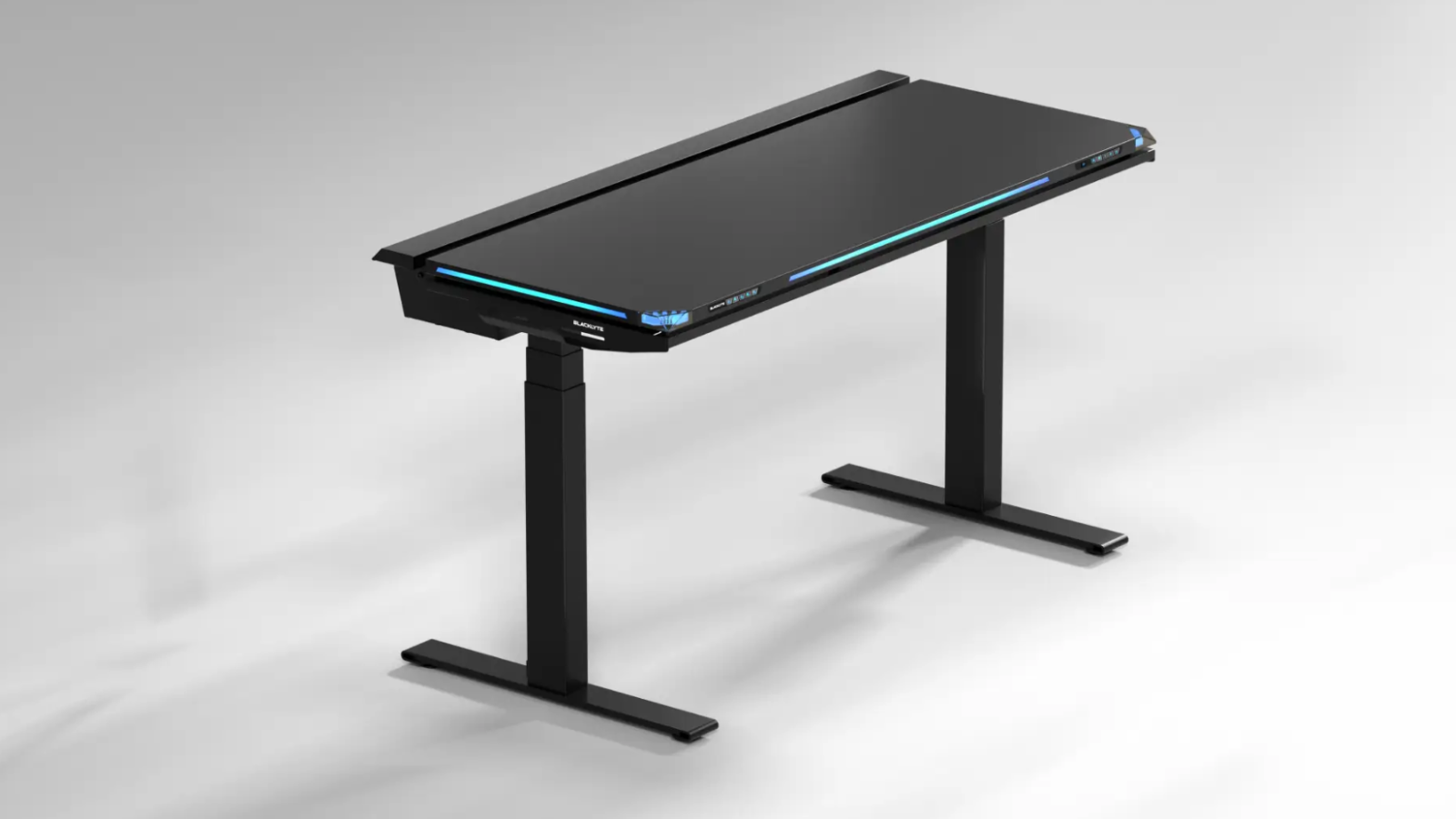
Blacklyte is a brand known for its gaming chairs (you’ll see them pop up at big tournaments all the time) but they also have two sit-down tables in their lineup in the form of the Atlas and Atlas Lite. We’ve taken an in-depth look at the Lite version in our full review, but in this article we’ll focus on the differences between the two versions to help you choose your next table. Of course, we’ll also dive into what makes this table worth considering.
Let’s discuss it.
Joint Foundation
Before we discuss what differentiates these two tables, it’s a good idea to discuss what they have in common.
It’s good to know that, whichever desk you choose, you’ll get a dual motorized electric sit-down desk with programmable memory presets, anti-collision detection and a max load of around 120kg. You can put multiple monitors, a desktop PC, and all the peripherals and desk gadgets you can imagine on a desk, and it will still function smoothly and reliably.
For both tables, you can also get first-party Blacklyte accessories. Currently, there is a range of monitors available (both single monitor and dual monitor versions) but more will come in the future.
So basically, you get a customizable desk with the best performance, no matter which option you choose. Knowing that you don’t have to worry about sacrificing the stability or reliability of your desk is great for peace of mind, so let’s talk about the differences.
Atlas Lite: Understated, yet Refined
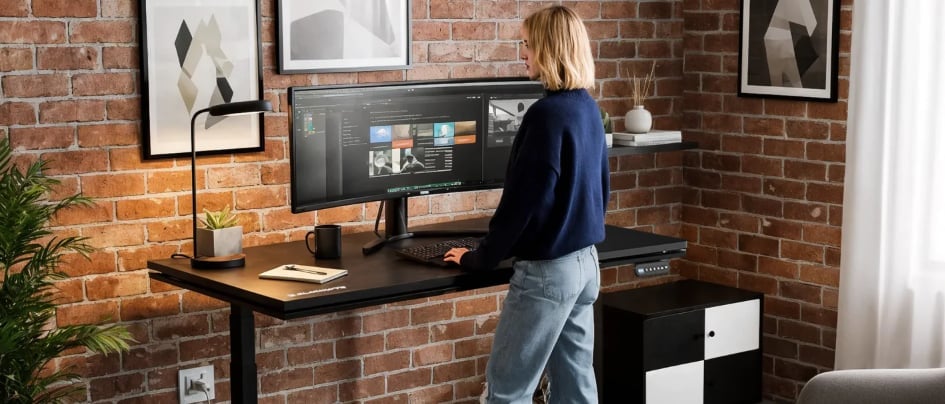
Atlas Lite is the simpler option of the two. It skips the flashier gaming features and aesthetics in favor of a sleek, minimalist look that’s suitable for almost any room. The Natural Oak finish in particular looks more like a high-end desk you’d see in an office space rather than a gaming room, although it’s worth noting that it’s oak. Lookand not real oak.
Talking about the finish: The Atlas Lite comes in three colors, namely Moonstone White, Obsidian Black, and the aforementioned Natural Oak. Interestingly, it is also available in three width sizes: 140, 160 and 180cm. The whole thing is 80cm deep, which we think is a nice touch, as small desks intended only for office use usually don’t have enough depth to fit a PC, large mousepad and the like. With the Atlas Lite, you can get a more compact desk without sacrificing any depth.

The height range is from 70 to 115 centimeters, which covers most users comfortably.
One detail we really appreciate is the cutout along the back edge for routing cables, which allows you to push the desk up against the wall without getting all the cables caught behind it. Paired with the cable tray underneath, this is one of the better cable management setups in this price range, and that’s an area that many competing desks skimp on. The cable management feature is also included with the desk and is not an optional (paid) extra, which is nice.
If you want a reliable sit-stand desk that can do its job without too many gaming features, this is a great choice. This is an option for people who want the ergonomic benefits and clean look without spending a lot of money. While the ‘Lite’ in the name might make you think this is a table with lots of budget components, it’s not. This is a well-made and reliable sit-stand desk.
Atlas: Try your best
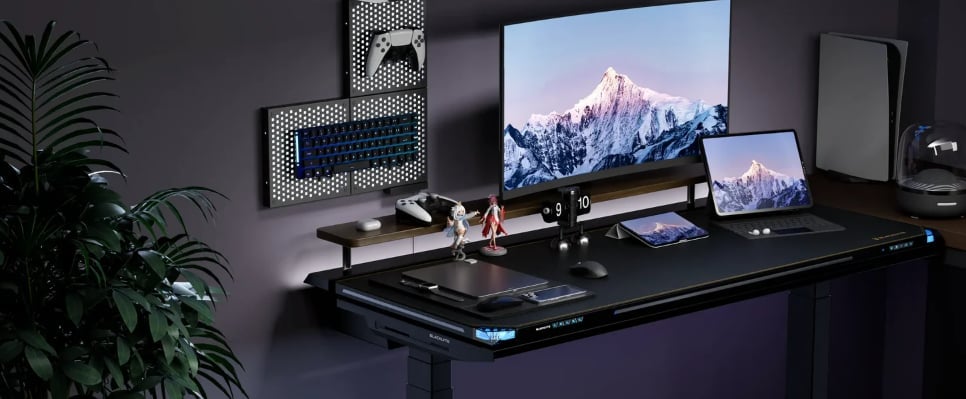
The regular Atlas is where Blacklyte goes all out. There are LED strips along the front and side edges, plus two corner lights, which immediately give the Atlas a much more attractive appearance. Through Blacklyte software, lighting can be synchronized with your game, screen colors, and even your audio, sometimes with the help of AI. With this, you can create your table to suit your preferred workflow or game.
Lights aside, the Atlas is a more premium product in terms of overall execution. The height range is slightly higher than the Lite, for example, up to around 137 centimeters. The power supply is also hidden inside the table legs, giving the regular version a much cleaner aesthetic. It also has a magnetic faux leather desktop cover to further accentuate the premium look. And the cable management tray spans the entire width of the desk, meaning you’ll find it easier to create an efficient, cable-managed organization.
Overall, the regular Atlas is meant to be a ‘hub’ with some more premium features than just a desk. If that’s what you like, this could be a great option. However, please note that this is only available in one size, namely 150 x 70cm.
Which One Should You Get?
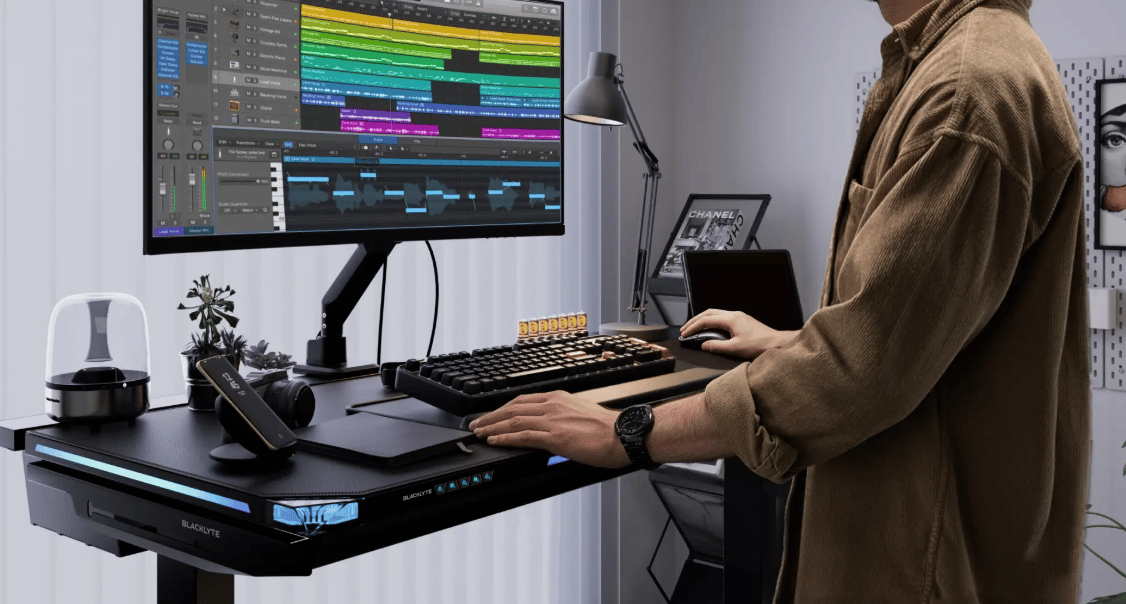
Since both tables share the same core, this decision is simpler than it seems at first. The motor, stability, payload capacity, warranty, and sit-stand experience are basically the same. Therefore, the question really boils down to two things. Do you want a more premium experience, complete with additional features like an integrated RGB system, or are you looking for a simpler, quieter desk?
Get the Atlas Lite if you want a clean, capable sit-stand desk that looks good anywhere. Get the standard Atlas if interactive lighting and a full view of the battle station are what you’re looking for, and you want your desk to be the center of attention.
Ultimately, the decision comes down to your personal preferences and tastes.
Conclusion
Atlas and Atlas Lite are two versions with the same foundation. One leans into the gamer archetype with interactive lighting and an engaging presence, and the other focuses on a clean, more grounded experience that’s suitable for use anywhere. Both are well made, so what’s important is deciding what features and aesthetics you’re looking for.
If you want a quick, sharp summary: The standard Atlas is for people who want their desk to be a showpiece in the room and want lots of customization options, while the Atlas Lite is an offering that puts both value first, giving you a great sit-stand experience for less money than most of the competition. You can’t go wrong with your choice either, but hopefully you now know more to support your decision.
PakarPBN
A Private Blog Network (PBN) is a collection of websites that are controlled by a single individual or organization and used primarily to build backlinks to a “money site” in order to influence its ranking in search engines such as Google. The core idea behind a PBN is based on the importance of backlinks in Google’s ranking algorithm. Since Google views backlinks as signals of authority and trust, some website owners attempt to artificially create these signals through a controlled network of sites.
In a typical PBN setup, the owner acquires expired or aged domains that already have existing authority, backlinks, and history. These domains are rebuilt with new content and hosted separately, often using different IP addresses, hosting providers, themes, and ownership details to make them appear unrelated. Within the content published on these sites, links are strategically placed that point to the main website the owner wants to rank higher. By doing this, the owner attempts to pass link equity (also known as “link juice”) from the PBN sites to the target website.
The purpose of a PBN is to give the impression that the target website is naturally earning links from multiple independent sources. If done effectively, this can temporarily improve keyword rankings, increase organic visibility, and drive more traffic from search results.